Showing posts with label pc. Show all posts

Sunday, December 26, 2010

Flying and Tech

Flying and Tech
- by David Matthews 2

Over the past ten years, there have been two things that have been on the steady increase… airport security and personal technology.

Airport security has had to go on the increase because of the ever-present fear of terrorism. This has required passengers to be inconvenienced as they take off their shoes, their coats, their belts, and also take special considerations to make sure that their personal technology doesn’t get damaged from those same enhanced security measures.

Quite recently, this author had to take a trip to Oklahoma City to visit with a radio station that I work with. Having been taken to the airport extremely early to avoid hassles with security and the various check-in times, not to mention having my return flight delayed six hours due to weather, I had the opportunity to check out some of the provisions that the airports in Atlanta and Oklahoma City have for personal technology. The two airports that I visited were Hartsfield-Jackson International Airport in Atlanta, and the Will Rogers Airport in Oklahoma City. (Fortunately these were both direct flights, so there were no layovers.)

Security

As far as security goes, despite the media hype about pat-downs and body scanning, both airports I visited were using enhanced device-detection equipment, but not the “see through your clothes” scanners. This still required the removal of your coat and shoes, but it also meant removing my belt, watch, ring, and emptying my pockets of everything, even my wallet, pocket change, and plastic comb.

Most of the equipment I brought with me was in my computer carrying case or in my pocket. This consisted of my laptop computer, cellphone, Bluetooth earpiece, and a thumb drive for my data. Additional equipment, such as my plug-in electric razor and the chargers for my cellphone and earpiece, were checked in with my luggage.

When going through the security line, they provide a series of plastic bins for you to put in all of the items that have to be screen separately. Sensitive equipment like laptops and cellphones are not scanned for obvious reasons, and you are required to take your laptop out of the case. A good suggestion for travelers is to put all of your sensitive equipment (including thumb drives) in the same bin to keep them all together. Make sure this is the very first bin (or bins) scanned. And make sure you keep an eye on it after you go through it yourself to make sure that you recover everything you scanned. Due to the large volume of people that have to go through the system, it is very easy to forget something in the rush, and in both flights I heard announcements of personal belongings left behind.

Unfortunately, while both airports made accommodations for the large volume going INTO the security screening area, they fell painfully short in providing accommodations for passengers LEAVING the same area.

WiFi Access

Both airports offered wireless network access for “convenience”. While this sounds like a good service for people with laptops, when I searched the networks at Will Rogers Airport, it was listed as “unsecured”. This is not good for Internet users, and in fact some recent news stories have suggested that hackers have been taking advantage of airports providing this service to go after your personal laptop information.

Unfortunately any kind of security improvements that would make this service usable could easily be countermanded by the quest to keep the airport “safe”. So it is best to not take them up on this offer.

Kiosk Service

Another service that I saw at both airports was a kiosk for Internet access. This wouldn’t be too bad for a quick access for news or sports scores, but when it comes to personal email, even web-based email services, this would be extremely risky.

First, there is no way to make sure that your personal information wouldn’t be collected, and one should presume that with a public service like this, there would be NO privacy whatsoever.

Second, these kiosks aren’t free. They do want you to pay for the service, which means putting in your credit or debit card in there, and that is risky as well. Besides, most airports have free TV service that provide basic news, weather, and sports scores, and let’s not forget the mainstay of an airport - the newspaper stand. So there really is no need to use the kiosk for those reasons.

Tech Store

One feature that Hartsfield had at the airport terminals was a specialty store for the tech-friendly traveler. Here one could get battery chargers, replacement earphones, spare portable hard drives, and pretty much anything else that you would need for your cellphone, laptop, PDA, Blackberry, or iPhone that you may have forgotten about or got lost in your travels.

This is actually one of the better ideas for airports to include along with the array of fast-food franchises, book-and-memento stores, and the terminal bar to get people drunk before their flights. With more and more tech-friendly travelers bringing their equipment with them on the plane, there exists a great opportunity for merchants if they know how to market it right.

The one thing that I noticed, though, was the high-dollar value on some of the devices for sale. While I could see travelers getting a spare battery or some thumb drives for their laptop, I really don’t see them getting video projectors at an airport.

Tech-Friendly Areas

Finally we get to the biggest part of the airport experience… waiting around. Whether it is because you had to arrive incredibly early to avoid the traffic, or if you were forced to wait while your flight was on hold due to the weather (and I had to endure both), the terminal gate at both airports were FAR from friendly for passengers waiting for their flights.

Sadly, airport gates were never really designed for people who had to wait for any length of time. Every gate at every airport that I’ve been to have all been identical in terms of the same padded bleacher seats, an occasional table, and absolutely no place for a traveler to plug in a laptop. That’s good if your wait time before boarding was maybe ten or fifteen minutes. NOT if you’re held over for two hours.

That means if you want to set your laptop down and work on that project you need to finish, you have to go to one of the food courts or airport lounges so you can use their tables. Either that or try to find some way to get comfortable with the laptop on your lap… which, despite its name, is not always easy to do. Even then you’re at the mercy of your laptop’s battery.

Fortunately, Atlanta’s Hartsfield Airport has tech-friendly stations at their food court area in the middle of their terminals. These are bar-style eating areas with power strips running down the middle of the counter; perfect places for you to charge up your cellphone or to use your laptop without running down the battery.

Hopefully other airports can follow Hartsfield’s example in this regard, especially given the demand being made for travelers to check in earlier and earlier, plus the additional time needed to get through security. They don’t necessarily have to revamp their terminals, but to have someplace where people could sit down, plug in their electronics, and work while they wait to board their flights would certainly make the experience tolerable.

---

David Matthews 2 is a freelance writer living in the greater Atlanta area. He is a longtime computer user and has been involved with computers since the 1980’s. This article can be distributed freely provided that it is unaltered and all proper credit is given to the author.

2010 – Get Brutal Productions

Thursday, October 22, 2009

The new Windows...

Windows 7: should you upgrade? Should you rush right out and get it? Should you even be buying a computer right now?

I'll talk about that this Saturday on my weekly show "Brutally Honest" on ShockNet Radio.

Sunday, January 25, 2009

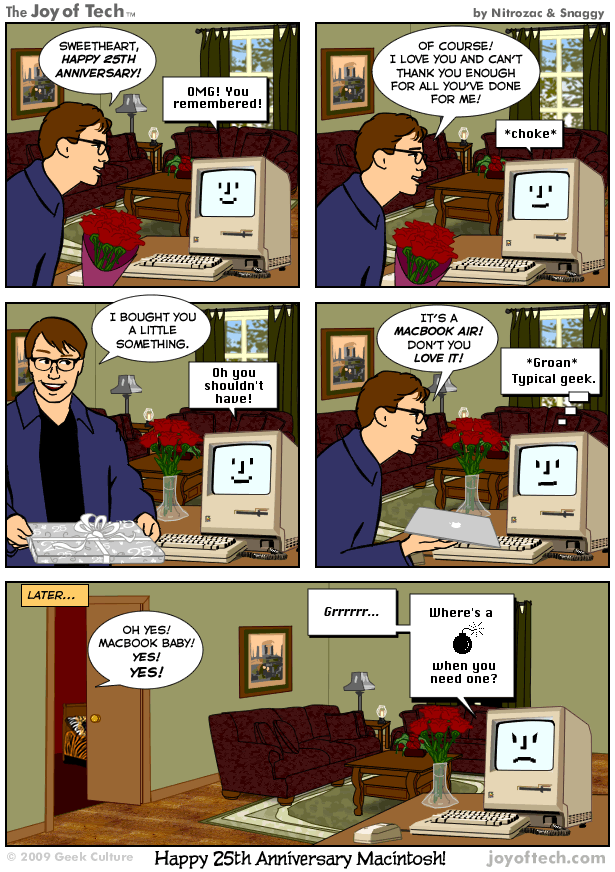
Mac at 25: Has it really been that long?

Has it really been twenty-five years ago that I was playing with a Mac? That I was writing articles and doing my reports on a Mac? That I thought that grayscale and lined textures were cool? That a little 3 1/2" square device could hold everything?
Seems more like 50. And btw, my new technolust is a Fujitsu Lifebook.

Friday, April 25, 2008

Microsoft's XP Problem

Microsoft’s XP Problem

Microsoft has a serious problem on its hands.

How do you get rid of an operating system that nobody wants to abandon?

For many years now, Microsoft users have been working with the Windows XP operating system. Sure it was buggy at first. Pretty much every operating system that has been cranked out by the House That Gates Built has had bugs and a plethora of required security fixes waiting for users the minute that welcome screen appears for the first time.

But it’s been over a year since Microsoft has come out with their brand-new operating system called Windows Vista and the response has been pretty much met with disgust. Not only are people NOT ready for a new operating system, but they are DEMANDING that they be allowed to continue to purchase and install Windows XP. Computer retailers like Dell are still offering computers with XP installed instead of Vista. Worse yet, big companies, which are usually the backbone to computer sales, are categorically REFUSING not only to install Vista, but many of them have also REFUSED to upgrade their browsers to Internet Explorer 7!

Even worse, Microsoft has been forced to push back their end-date of their support for Windows XP to April of 2009, and quite possibly even later than that.

I’m sure the Microsoft geeks and suits are pulling the remaining hairs out of their balding heads trying to figure out why. After all, weren’t these the same geeks and nerds that were complaining about XP being buggy? Sure they were! Wouldn’t they relish the new security features that are incorporated into Vista? Maybe.

But there’s more to this than just hesitation about a new system. Microsoft has really handled the Vista rollout in a way that has done the product and themselves a huge disservice.

Let’s take it by the numbers…

Bad Minimums – When Microsoft cranked out the specs for computer retailers and manufacturers to determine if their product is “Ready for Vista”, they set the bar TOO low. Sure many computers COULD run Vista. It would be slower than molasses and you wouldn’t be able to add any other programs that would use up memory on top of the basic operation of the program, but it COULD run on Vista.

As a result, there were plenty of computer systems where even the salespeople were telling you NOT to buy because it barely operated with Vista on it as opposed to XP.

Basic rule, boys and girls… EVERY new operating system demands more and more memory, more and more hard drive space, more and more processor power, and more and more of pretty much everything else a computer would use. Microsoft or Apple, it doesn’t matter. If you want a bare-bones operating system, switch to Linux. Otherwise, consider every new OS a bloated monster.

Microsoft’s “minimum” requirements were simply TOO LOW. They needed to shoot for OPTIMAL requirements, not MINIMAL.

FORCED to go Cold Turkey – This was actually a problem going back to Internet Explorer 7, which they declared to be a REQUIRED CRITICAL upgrade. Their intention was to FORCE people to upgrade, whether they wanted to or not.

The same principle was used with the roll-out of Vista. They told the retailers that whatever leftover computer was in stock HAD to be upgraded to Vista, whether it would run or not, and then they were planning on shutting off support for XP only six months after the roll-out before the social pressure forced them to change that.

This has been an EXTREMELY BAD idea, and it is probably one of the chief reasons for resistance to getting people to upgrade both to Vista and to IE7. People don’t like being FORCED to upgrade unless it involves something like a security patch or updated drivers. Telling people that they need a whole new Internet browser or a whole new operating system and calling that a REQUIRED upgrade is simply demanding too much.

Bear in mind that some companies are STILL using computers that are running on the Windows NT, Windows 2000 and Windows 98 operating systems, and even a few are using Windows ME! They’re not changing because they’re afraid of change, they’re staying with a particular operating system because that what they are using right now WORKS for them. Maybe they have specialty programs that they can’t use with an upgraded operating system. Maybe it’s just not feasible for them to change computers and upgrade to the latest-greatest toys. This is where Microsoft SHOULD be encouraging people to upgrade, and instead they are simply being told “do this because WE SAID SO.”

Bad Legacy – One of THE most annoying things about game systems is their lack of compatibility with previous systems. You spend money on a game system like an Xbox or Playstation 2 and they produce a whole plethora of games designed for it, and then they come up with Xbox360 or Playstation 3, and you discover that NONE of the games you had spent all of that money on work on the new game systems! That’s why sales of Playstation 2 actually beat out all of the “new” game systems back in 2006.

Well the same premise applies to upgrades in operating systems. The key requirement for businesses to upgrade is to make sure that the new item works with their current applications. You want to make sure that your call center software or your modem or your database or your printer works with the new operating system or platform. That’s why businesses continue to use outdated operating systems, because it would cost them a lot more to upgrade than just changing the programs or even changing the computer. You’re messing with the things that make their businesses functional!

Sure some operating systems were really just glorified bug fixes. For instance, Windows 98 and Windows ME were both glorified bug fixes for Windows 95, and Windows 2000 was a glorified bug fix for Windows NT. But with Windows XP you weren’t just fixing bugs, you were abandoning the MS DOS framework and embracing the NT framework. You were also changing file compression standards to the new FAT32 system. And Vista changed things even more. We’re talking not just some extra features and some new Graphical User Interface goodies. The whole operation of the program changed with Vista.

And this is where Microsoft has fallen flat, both in XP AND in Vista. They really don’t provide adequate support for backward compatibility and instead DEMAND that any applications that use their new operating system have brand new drivers for those applications. So if you have a 5-year old monitor that was made obsolete by the manufacturer, it won’t work on Vista because you lack the required drivers for it and Vista refuses to recognize the ones for XP.

Sure, Windows XP set up a “shell compatibility” system. It would mimic an earlier operating system for certain programs, but it would be just that… a mimic. It would be a shell, so it wouldn’t really integrate into other systems. So if you have a custom database program that needs to work with your email service, it really wouldn’t function in this “shell” environment. And you couldn’t guarantee that it would work in every situation either. I have tried the shell environment on some of my older programs and they really didn’t work the same.

One of the larger groups that complained about this incompatibility were the massive multiplayer online gaming community. Game-players for popular MMORPGs like Worlds of Warcraft and City of Heroes that got themselves new computers or upgraded their operating systems suddenly found their paid-subscription services no longer working because they lacked the needed drivers for Vista. Not exactly the kind of news you want to hear when you’re rolling out a new operating system and you want everyone to sign up on it.

This is something that Microsoft really needs to work on in addition to getting the bugs fixed with their new systems.

And finally…

New Corporate Security Rules – Corporate accountability! This is probably the biggest stickler to getting companies upgraded to Vista, and also one that Microsoft probably never imagined they would get caught up in.

There are plenty of reasons why corporate accountability is such a big issue.

You can start with the Sarbanes-Oxley Act, the all-encompassing federal law that REQUIRES that corporations sacrifice whole forests so they can document everything that they do, including their software testing. Companies now have to hire auditors to make sure that everything is in compliance, and auditors expect a full accounting of every program on the workstations, who has access to the company’s servers, and how they access it, and why they need to.

Add to that the push from software companies like Adobe for copyright and licensing accountability. The bean counters need to make sure that every computer uses a program has a license for it and can trace the purchase of that license.

And then throw on top of that the rise of identity theft and security breaches either through hackers or stolen equipment, or even through malicious software that gets downloaded. You know that “really cute program” you found on the Internet? You know, the one you got from a friend, that you forwarded over to another friend? It’s not that “cute” when it ends up putting a hole in your company’s server firewall and sending the server’s IP address and your username and password to a hacker in Hong Kong.

Put all of those things together and you have a corporate environment that is outright HOSTILE to any kind of change, much less one that Microsoft expects should be done immediately.

Microsoft’s biggest problem is they have an unrealistic expectation of change for their customer base, be it corporate or the personal user. Most people are not quick to make changes to their system, and not everyone is eager in getting the “latest-greatest” as they used to. Changing an operating system or changing a web browser is not the same as installing a security patch, and it should not be treated as such.

Getting people off an operating system is not something that can be done in a matter of a few months or even a year. We’re talking a process that takes YEARS to test, diagnose, test, fix, and test again. As much as the corporate executives would love to speed up that process, it’s not as feasible as it used to be.

-----

David Matthews 2 is a freelance writer living in the greater Atlanta area. He is a longtime computer user and has been involved with computers since the 1980’s.

This article can be distributed freely provided that it is unaltered and all proper credit is given to the author.

2008 – Get Brutal Productions

Saturday, May 19, 2007

The other side of Apple's ads

This the reason why I'm in tech support.


These are the kinds of sentiments I have to deal with, even though I work with PC-people.

Sunday, January 28, 2007

The Computer That ALMOST Never Was

The Computer That ALMOST Never Was
My Misadventures With Online Ordering

– by David Matthews 2

I needed a new computer.

Not “want” or “would like”, but NEEDED.

The desktop computer that I was using has served me very well for over the past few years, but now it can’t handle what I need for it to do. I was running out of space, the latest version of my browsers and media programs require more RAM than my system has, and I don’t have the luxury of using my parents’ computer for things like burning video files to DVD. I’ve stopped buying games for the PC a while ago and I’ve been trying to figure out which programs I don’t use anymore just so I can squeeze some more hard drive space in for the stuff that I DO use it for. I can’t even consider upgrading the Office programs with the system I have now, and my versions of those programs have long since been “retired”.

I needed a new computer.

And yes, I am a techno-geek, but that doesn’t mean that I have money coming out of my butt to buy the latest, greatest, most advanced system available. My last name is neither “Gates” nor “Jobs”. Besides, I’m not the kind of hardcore techno-junkie that drools over the specs of the latest processor. I won’t be offended if my computer doesn’t have the LATEST processor or FASTEST video card. My interest in technology is tempered by reality. I care about computers because they are a means to an end. The “end” in this case is to get what I need to do done.

So buying a computer for me means to look at what I can afford to get. I have a certain set of conditions and a pretty low price range to work with. I wasn’t going to get a new computer that is “just slightly” faster than my current one. Unfortunately all of the computers that I was looking at that have what I’m looking for were OUT of my current price range.

Then, in my umpteenth online search, I came across a certain store sale. A brand name computer, 200 gigabyte hard drive, 1 gigabyte RAM, DVD burner, Windows XP Media Center operating system… all of the things that I’m looking for at JUST UNDER $400! It was just within my price range, so I go ahead and place the order.

Bear in mind that this is an online sale only. I could not purchase this computer at the website’s physical store just up the road from where I live. And the computer on sale is offered as “refurbished”. “Refurbished” can mean pretty much anything. “Refurbished” can mean the previous owner simply returned it. “Refurbished” could mean the computer had a defect that needed to be returned and then the store fixed the defect and restored it to its original factory specs and now needs to get it out of inventory. “Refurbished” could mean that the computer had a scratch or came without a manual. It’s potluck, but at $400, I was willing to roll the dice.

So, like I said, I placed the order. I put in the shipping information, the billing information, click send, and then wait. Hey, it WAS after business hours after all. And I’m all excited, because I though this was a GREAT deal I was getting.

The following morning I get the confirmation email. By the end of the day I got another email from the company. I thought this would be the acknowledgement that the order was shipped.

Thank you for your order! It has become necessary to cancel your order due to discrepancies in the information provided to us, in either the bill-to or the ship-to portion of your order.

Under the circumstances, we recommend that you contact our sales or customer service department by e-mail to have a sales person assist you in placing the order.

Your order number is ########.

We apologize for the inconvenience and thank you in advance for your assistance.

Bill-To and Ship-To were one and the same. The Bill-To had my credit card information.

Well I did send out the email asking for an explanation, but I also called their toll-free number and asked for customer service. And I waited. And I waited. And I waited…

A full forty-five minutes goes by before I get a very polite human who was quick to look up the order and say that there was something wrong with the credit card information and it got kicked back. He didn’t say what it was, and that it could be anything, even so much as a phone number being off, but that I should contact the credit card company to find out why. But if there’s nothing wrong with the credit card, then I should just go ahead and submit a new order.

Fortunately for me, my credit card statement was right in front of me, so I called the credit card company. Even though it was after business hours, there was no waiting with them. I spoke with a very kind and courteous woman whom I could barely hear who confirmed that my credit card was still active and in good standing. She connected me over to the bank. Again, no waiting at all, and the person I spoke with was kind and courteous and she also explained to me that not only was the card in good standing, but nobody’s made any kind of inquiry or approvals in several weeks. If any inquiries got made and then kicked back, they’d know about it.

So someone’s lying to me at this point. It probably wasn’t the human I was speaking to on the phone from customer service. The person who makes an arbitrary yes-no decision usually knows specifically what went wrong to cause the “no” decision.

To be safe, I re-did the online information – line by line – exactly as the bank has it in their records. Phone information, home address, everything. Then I submit a new order to the online company. I also send an email back to the service department explaining everything to them and telling them that if they have a problem again to please contact me immediately so we can resolve it.

The next morning, I get the acknowledgement email. An hour later, I get another email….

Thank you for your order! It has become necessary to cancel your order due to discrepancies in the information provided to us, in either the bill-to or the ship-to portion of your order.

At this point I’m pissed. I’m really pissed. Bear in mind that this is the SECOND arbitrary rejection, and one that comes after a SPECIFIC request to contact me if there is a problem. Why ask even for my work and home phone numbers if you’re not going to use them? (Well, I can guess why, but that’s for another subject.)

So I spend my lunch hour on the phone… on hold… waiting for a human.

Since I was pissed and on hold, I figured that I’d use my trusty old computer to do a little background check. I type in the company’s name and the word “complaints” in the search engine. Oh did I find PLENTY of reading material to keep me busy while I was on hold!!! Horror stories the likes of which would make miserly Scrooge look like the world’s greatest philanthropist in comparison.

A little word of advice to all companies with customer service numbers… you DO NOT want people to be sitting and stewing on hold for more than ten minutes. That just invites people to find ways to keep themselves pissed off. And if your company has a bad track record with customer service, then keeping people pissed off for more than ten minutes invites more trouble for your company.

This time I was on hold for only thirty minutes before I got to speak with a human. Again, she was very polite and listened as I explained everything to her, including how I spoke with both the credit card company and the bank to verify that everything was working and that they had not gotten any kind of notice that the card was rejected. She then says that she will manually submit the order herself.

Oh, but hold on…

“I need to get authorization. Apparently the price on this just went up to $449.”

I didn’t need to hear that! Here I am trying for three days now to get this computer and suddenly the price goes up? Red lights are flashing in my head. I’m trying to decide if I even want to go another round if I’m having to pay even more for this computer. And what happens if this one fails? Will the price go up again? Do they even have the computer or are they all sold out and they just don’t want to admit it?

“Okay, you’re all set. I’ve submitted a new order for $399.”

It’s at the same price, so I’m breathing a sigh of relief. She gives me my new order number and tells me that she’ll be sending me a new email acknowledgement and says that if this doesn’t work that I should contact my credit card company.

Actually at this point I’m thinking a lot more than that. I’m thinking that if this order gets rejected that there will not be a fourth attempt! Three strikes and you’re out. And I’m not going to be submitting a new order if the price of that computer is going to be edging up over my range.

A whole slew of options start running through my head. Whom to contact, who to complain to, and what to do. Should I call consumer reporters like Clark Howard for help? Should I join my voices in the choir of dissatisfied people from my little lunchtime reading list? Maybe I should just write an article and send it out? (Well obviously I went ahead with this idea.)

Out of laughs and giggles, I visited the physical store of this online company. It’s a national chain of stores, although it’s still not big enough for most people to recognize. I go searching for two things. First, what kind of computer I could get off the shelf, cash in hand, for the price that I’m trying to pay for the computer in question? Second, how much would a brand-new, factory-sealed, version of that computer cost?

The answer to the first question shocked me. For roughly $400, I could only get a computer that is SLIGHTLY faster or larger than my current one. Double the current RAM, maybe a slightly larger hard drive, a CD-ROM burner, and the same operating system. In other words, I’d be better off sticking with my old and faithful (and crowded) computer.

The answer to the second question didn’t really surprise me. If I bought that same computer at the physical store, I’d be paying $600 for it. That was clearly outside of my current price range.

The next morning, I get a new message. This time the message has the order number attached to it.

We are happy to inform you that your order has been completed and will be shipped to you.

This was followed by a link to their website that allows me to track the progress of the package so I know when it will arrive.

Well that’s great! Problem averted. Now it’s just a waiting game to see if my potluck gamble will pay off.

Fortunately the computer did show up as scheduled, although it wasn’t entirely a great ending. It appeared that someone didn’t plug the hard drive power cable, or that they didn’t plug it in properly and it got unplugged during boxing and shipping. In other words, when it started up, I was told I had no hard drive. Fortunately with a little help from the manufacturer’s support desk and a little experience of my own, everything was up and running.

By the way, I did eventually get a response to my initial email inquiry as to why the first order was rejected. It showed up in my inbox a couple of hours after I got the approval notice. The response was: “it appears that this matter has already been resolved.” No apologies or explanations (as requested), just that it was resolved and that was it.

So… why bother talking about this whole experience if there is a happy ending to it all? The deal has been made, the order was shipped, and the product is here… case closed.

Well that’s part of the problem right there. This whole episode was fraught with customer mismanagement, and nobody wants to talk about it because the end result is all that matters to most people. It is certainly all that the business is concerned about, and that is not good for them, especially if they’re trying to truly become a big-name brand company.

The truth of the matter is that this was a really good deal that almost did not happen!

If my need for a new computer wasn’t as strong as it was, I probably would have just called the whole thing off after the second email cancellation. I may not have even stayed on the line while being on hold for a half an hour on that second call after reading all of the horror stories about this company if I wasn’t determined to make this deal work. My otherwise cautious and cynical online mind would have told me not to go through with this.

I understand that sometimes online orders just don’t go through. Maybe the wrong numbers were put in. Maybe I put in a 6 instead of a 9. Those things happen even to the best of us. But that second rejection should not have happened if everything was double-checked and put in correctly.

At the very least an attempt should have been made to contact me before making that second cancellation. Why go through the process of getting a person’s phone number if you’re not going to use it for what it was intended for? That in and of itself sets off a few red flags. Anyone remember how telemarketers end up with our phone numbers?

The person who has to go through with a second order is already uneasy about it. Extra effort needs to be made on behalf of the company to make sure this order goes through on the second try, and it didn’t happen.

Also, it goes without saying that long waiting periods for customer service calls – or sales calls for that matter – are things that should not be tolerated. A person who calls customer service is already not a happy shopper to begin with, and they certainly should not be left to sit and stew for any longer than ten minutes. That only serves to further aggravate the situation.

Online companies need to remember that all of the jazzy sales and slick website promises in the world mean absolutely nothing if they cannot get the customer through the point-of-sale and actually deliver the product. I can understand how people can get upset at certain big-name computer distributors if their experience with customer service was anywhere as frustrating as mine was. I would have serious hesitations about making another online purchase with this company, although I have yet to say anything bad about their physical store and will probably rely on making all future purchases from there.

Ten years ago it would have been understandable to say that an online store would have problems with its customer service. But today, with dozens of online marketplaces ready to step in and provide the consumers with what they’re looking for, even the smallest of businesses really need to remember that customer satisfaction is more than just a fancy website and great sales offers. In the online world of business, customer satisfaction starts with the point of sale and it only ends when that customer is happy enough with his or her experience to let others know about it. If you cannot provide it, then you lose the very support you need to keep that business going.

------

David Matthews 2 is a freelance writer living in the greater Atlanta area. He is a longtime computer user and has been involved with computers since the 1980’s.

This article can be distributed freely provided that it is unaltered and all proper credit is given to the author.

2007 – Get Brutal Productions

Sunday, January 14, 2007

Next-Gen: Real and Phony

Next-Gen: Real And Phony
– by David Matthews 2

Apple Computer’s quasi-deity (and sometimes chairman) Steve Jobs recently made two "stunning" announcements at the 2007 Macworld Expo. The first was that Apple Computers was getting rid of the "Computers" part of its name and simply calling itself Apple Incorporated. Since they managed to resolve their trademark lawsuit with the Beatles over the word "Apple", no doubt the company was just itching to simplify themselves to just the one-fruit reference.

The second announcement was the unveiling of their latest toy: the iPhone! The merger between an iPod music player and a cellphone! You can surf the web, download music and video files, play games, AND talk on the phone!

Isn’t that great? Isn’t that wonderful? Here’s the NEXT GENERATION of technology! Here is THE FUTURE!

ZZZZzzzzzzzzz…

Somebody wake me up when the mindless jabbering settles down.

Don’t get me wrong… I’m all for technical advances. But the merging of a music player and the cellphone is NOT "next-gen"! It’s actually the status quo.

That’s the ugly and bitter truth when it comes to the iPhone: it’s neither the latest, nor the greatest, nor the next best thing since the microprocessor. It’s basically the same kind of cellphone available today with a larger hard drive for music, a Macintosh operating system, and a jazzy "iTitle" on it.

Meanwhile other computer makers are busy transforming their systems to conform to what they believe "next-gen" will be. They think that the computers of the future will no longer be beige metal boxes sitting with its own space. They think that the computer will actually be sleek and thin and fit underneath a huge flat-screen TV as just another component in a mammoth entertainment center.

If that’s all that they think computers will be in the future, I have some SERIOUS doubts about our technological progress.

For the past few decades, there have been two conflicting trains of thought about computers and where they should be heading.

The first train of thought is that computers are for business purposes only. This was the mindset of computer makers like IBM, who made their money creating huge mainframe systems that cost a fortune to have and another fortune to maintain and operate. It also wasn’t hard to figure out why since computers at that time could do very little except crunch numbers and run very limited programs.

But as computers got smaller, more affordable, and could do a whole lot more than just crunch numbers, a second train of thought developed that said that computers were for ENTERTAINMENT purposes only. They believe that computers should be playing games and keeping the masses entertained. This is the train of thought of companies like Apple as they made computers very user-friendly. It was also the train of thought of arcade video game makers like Atari, and later Nintendo and Sega. The rise of the Internet in the 1990’s solidified this train of thought as people began using the computer to play online games, download music and video, and to chat with friends, family members, and even total strangers all around the world.

Both mentalities think that theirs is the true "next-gen" mentality. The business-only people scoff at the entertainment-only people and think that playing games and stuff are just fleeting fads. The entertainment-only people think that the business-only people suck and are fanatically obsessed with security.

The truth of the matter is that NEITHER side has the exclusive on what "next-gen" will be. They don’t get it, because it won’t just be about either mentality. It will actually be both, neither, and everything in between.

Do you want to know what "next-gen" will be? Do you want to know what will be the REAL steps forward in technology? The REAL driving force for the next decade?

One word, my friends: Networking.

The name of the game for the next few decades will be getting everything interconnected. It won’t be JUST about business or JUST about playing games or JUST about surfing the web and keeping tabs with your friends, relatives, and complete strangers all around the world. It will be bringing together the things that you use in your everyday life.

Imagine buying a watch that will never need to be set or reset. A watch that will automatically correct itself and adjust for things such as Daylight Savings Time. It will always give you the correct time. If you travel from one time zone to another, your watch will automatically adjust to give you the correct time no matter where you go. This watch will keep up with your daily schedule and remind you of important events as they are occur. And it will remind you when its battery is about to expire or to let you know if there is a problem with it.

Impossible, you say? Right now, yes. But in a few years that watch will be as commonplace as iPod players are today. In fact, elements of those features are ALREADY present in other devices such as your cellphone and your computer.

That’s just one common device. There are plenty of others to go along with it.

You may have seen the commercials of the cars that will send an email report of how it is doing and when it will be due for service. That too is an example of next-generation networking, and it eventually won’t be just for expensive luxury vehicles. Pretty soon your car will be doing everything related to its own service except driving itself to the service station and giving itself an oil-change. Hopefully by then we will also eliminate the whole oil and petroleum dependency.

Over the past few years we’ve seen homes constructed already wired for networking. Putting in Cat5 cable and installing network switches is pretty much old hat. First, Cat5 cable is being replaces by Cat6, which can handle much more data than its predecessor. And second, the trend now is wireless. Oh, there will be some physical network connections still needed in the short-run, but eventually all devices will be speaking to each other through one common home network system transmitted through wireless frequencies.

You may have heard the word "bluetooth" in regards to cellphones. The wireless technology behind bluetooth appliances will eventually become the technology that connects other devices to that common home network system.

Imagine a touchscreen terminal in your kitchen. You tell the terminal what you want to cook. Your computer will do an inventory of your current supplies to determine what you have and what you need to get. It will compile a list for you of what you need from the store. Then it will give you the option to either print out the list so you can do the shopping in person, to prepare an electronic list for you to export, or it will allow you to electronically order the items and then pay for them in advance through your bank account. Then you can either pick them up at the store or else have them delivered to you for a nominal fee.

And again, elements of that idea are already present! There are refrigerators with network-connected touchscreen computers. They’re hard to find and expensive, but they exist. Touch-screen terminals for the kitchen are already in the works. And the idea of online grocery shopping and personal delivery? Already dabbled with several years ago but only failed because the idea was simply started way before its time.

How about shopping itself? Here’s how that would be done by next-gen technology: You get to the grocery store and you check in with a network-connected shopping cart with a scanner, scale, and wireless terminal built in. You upload your list or use the touch-screen to input what you need, and the terminal will tell you where in the store those items are. It may even let you know as to which item is on sale or has an electronic discount coupon. As you put each item into the cart, the scanner reads the item into the system and checks them off your list. You can use a scale to weigh certain items like fruit and then have that amount entered into the system. When you get to the cashier, he or she visually verifies the items in the cart compared to what’s in the system, and then you electronically pay for it. No more "price check" calls or questions as to how much an item costs. It’s all figured out by the time you get there. You just approve the purchase and you’re on your way. Your time at the cashier’s counter will be measured in seconds, not minutes.

That is real next-gen technology!

We hear about merging cellphones with music players and game consoles and cameras and video recorders, but that is really just a baby-step compared to the REAL next-gen technology. REAL next-gen means getting the computer OUT of the office and OUT of the living room.

There will still be an entertainment center, but rather than having the computer be just another component of it, the entertainment center itself will be the component of the home network system. Your favorite shows can be downloaded and available for you to watch at your leisure from any TV monitor in your house. You go from room to room and if there is a monitor, that feed will be available for you. You want to listen to music? Either stored or streaming audio can be sent to wireless speakers in any room you want to be in.

Phone messages can be sent to a personal communication device similar to a bluetooth earpiece. Instead of dialing a number, you simply tap the earpiece and tell the computer to dial either a number or a preset name. The earpiece would be personalized so that a call coming in for you will be sent to just YOUR earpiece.

Again, this isn’t science fiction! The bluetooth technology for telephone voice command exists right now!

Of course, these technical visions of the future, as incredible as they may be, will come with their own problems as well. The biggest issue in making things interconnected and available on a common network is one that we haven’t even begun to deal with… namely privacy.

Current cellphones have GPS devices on them to track where you are in the event of an emergency. Some companies have capitalized on this by allowing you to see where your friends and family members are at all times. Well what is to prevent a former boyfriend or girlfriend from using that same technology to track where you are at all times? What is to prevent the government from using that technology to track where you are at all times for any reason whatsoever?

The next-gen home networks will have plenty of personal information about you at its disposal, including your bank records, online purchases, favorite movies and songs, and all sorts of contact information about the people you deal with on a regular basis. That’s prime information about you and your life that anyone, including telemarketers and the government, would KILL to get!

Needless to say, if we don’t firmly deal with the issue of privacy now, we certainly won’t be able to when the REAL next-gen technology is here.

The fact the matter is that there is a definitive difference between REAL next-gen technology and hype pretending to be next-gen. REAL next-gen moves us ahead through a particular vision. Hype pretending to be next-gen is just about selling a product. We need to stop looking at the hype and start looking at what’s really coming up.

------

David Matthews 2 is a freelance writer living in the greater Atlanta area. He is a longtime computer user and has been involved with computers since the 1980’s.

This article can be distributed freely provided that it is unaltered and all proper credit is given to the author.

2007 – Get Brutal Productions

Friday, August 04, 2006

A Warning About Those "Mainstream" Sites

A Warning About Those "Mainstream" Sites
– by David Matthews 2

"But I practice safe surfing!"

Oh what a clever oxymoronic statement that is!

"Safe surfing!" There’s no such thing as "safe surfing" nowadays when it comes to the Internet! You have "UN-safe surfing", you have "SAFER surfing", and then you have "NO surfing". That’s really all of the ranges of surfing capability you have today. I don’t care how many firewalls you put up, or how many rights and privileges you put in on the computer for users, or how many anti-virus and anti-spyware programs you install, you will ALWAYS run the risk of being on the receiving end of a nasty virus or spyware program as long as you have a connection to the Internet.

And the virus or spyware program that will REALLY get you will come innocently enough from people who have no idea how it happened.

Here’s a scenario for all you computer users that might seem a little familiar… Your formerly ultra-fast computer is now running slower than molasses. Everything takes time to upload and run, even the simplest of programs on your computer. You’re getting hit with pop-up ads every few minutes. Your home page changes on a whim and you don’t really know why. Plus it constantly goes online for seemingly no reason whatsoever. (That is, of course, if you still use dial-up connections… all of you cable and DSL users are REALLY in trouble with your always-on connections!)

So you take your computer over to the local "expert" and he or she tells you that your computer is THOROUGHLY hosed with spyware and viruses. They can’t even BEGIN to tell you where they can start to salvage anything on that computer because it’s all so contaminated with spyware and adware and virus components.

And that’s when you start your list of denials.

But… but… but… you CAN’T have a virus! You have that extra-special "security program" that you paid $40 for and it’s programmed to automatically run every week. You never open strange emails! Well, except for that one from your mom that said "I Love You", but that was one time and it wasn’t even on THIS computer! You NEVER go to newsgroups, because you don’t even know how to do that. And you certainly don’t visit "THOSE" kinds of websites! (You know which ones I’m talking about.) You don’t file-share, because you don’t want to get sued, and you wouldn’t know where to start looking for "those files" anyway. All you do is just visit "mainstream sites". Big name websites. Popular websites. Places where you go get the news, the weather, the sports scores, and that’s it!

Well guess what? That’s where it happened.

You may not realize it, but so-called "mainstream websites" are the perfect place for malicious programs to be distributed. They’re visited by millions of users at various times of the day, unlike those "other websites" (i.e. porn sites, gambling sites, file-sharing sites) and they usually aren’t blocked out by network administrators… unless the admin is a liberal who hates Fox News or a conservative who hates CNN.

Now in all fairness I must point out that the groups behind the "mainstream websites" usually run a pretty tight ship. They wouldn’t want to be known as a haven for malicious programming, because it would really hurt their sites. So they’ll be quick to say that THEY don’t put any malicious programs on THEIR websites or on THEIR servers. And it’s probably true. THEY don’t allow it.

But that doesn’t mean that you can’t get malicious programs from visiting those sites.

You see, in order to pay for the online costs, mainstream websites will rent out virtual "space" to advertisers. Originally this used to be a simple banner ad that the webmaster would post on behalf of the advertiser. But the ad companies found an even better way to distribute more ads through Java and ActiveX programming. So now, instead of sending webmasters a prepared banner, they actually pay for the SPACE for advertising, which is simply a link to the advertising server.

A digital "cookie" is placed on your computer to identify you to the ad company. This "cookie" is a small text file that can have all sorts of basic information about you, your computer, how you’re connected, where in the world you’re connected in, and what sites you’ve visited. You don’t even know that it’s being done, and the file is so small that it happens in a nanosecond, even with dial-up connections. That information is fed into the ad company servers, which then uses that information to send you specific ads. You’re in New York? We’ll send you advertising for a local business. You’ve been searching for car dealerships? We’ll send you an ad for one of our dealerships. You’ve already seen the travel ads? Then here’s some stuff for an online university.

By the way, this is also where many of the pop-up ads come from nowadays. Little itty-bitty pieces of script that tells your computer to pop open a new window for their advertising server to give you ads. They can also execute invasive, intrusive, media-rich ads; the kind that will literally take over your browser to force-feed you advertising whether you want it or not. The webmaster of these mainstream sites usually have no idea whatsoever that the ad companies are doing this. They don’t know it because it’s really not happening off THEIR servers! And they will continue to be ignorant of these things until people start complaining, which they rarely do. Most users won’t complain about annoying ads. They will just surf elsewhere.

So it’s not hard to sneak something "extra" in with those ads. The ad companies are already intruding into your computer by installing the digital cookies. Why not add a few other "helpful tools"? And by "helpful" I mean helpful for THEM, not for the computer user. So they’ll throw in some adware and spyware programs into the rotation. Your browser gets the code to automatically install these programs, you get a little "Term of Agreement" message for a program that will "enhance your viewing experience", you click "yes", and it is done before your finger leaves the mouse.

Now some of these programs will do more than just "help" themselves under the pretext of "helping you". They will actually sabotage your security system. If the programmers are afraid that their programs might get "detected" by a certain anti-virus program, they will write code that will tell your operating system to disable the anti-virus program. Oh the program will sign in, but it won’t work. The scheduled security sweeps will never run, so they won’t detect the programs, nor will they detect or stop any other destructive program from being installed on your computer.

And it is all very legal. After all, YOU were the one who didn’t read the Terms of Agreement!

Now, picture this nightmare scenario: eight so-called "mainstream" websites suddenly become the source of a serious and malicious virus. Each website is run by separate sponsors, hosted on separate servers, and yet they ALL manage to be the source of this virus on the same day.

How do you think it was done? Some malicious "hacker nation" like the kind seen in the movie "Hackers" somehow broke into eight separate servers to plant their viruses and then escape sight unseen? Maybe a small team of computer experts looking to make a statement (i.e. "Sneakers")? Come on, get real.

The answer is simple… if you want to spread a virus out to as many people as possible, then you don’t HAVE to break into eight different servers to affect eight different "mainstream" websites. You just need to find your way into one… the ad server that they all link to… and put your program in their rotation as a "software enhancement". Again, the administrators of those "mainstream" web sites will never know because it’s really not on THEIR servers, so they have no control over it.

The point being made is this: just because you’re visiting "mainstream websites" doesn’t mean that you’re safe from malicious programming. In fact, your chances of getting one of those "helpful tools" actually go up when you do!

Don’t be lulled into a feeling of complicity when it comes to where you surf on the Internet. Remember that there is no such thing as "safe surfing" when it comes to the Internet. There’s a reason why it is called the World Wide WEB, and certain people are quick to use that to the fullest extent possible.

------

David Matthews 2 is a freelance writer living in the greater Atlanta area. He is a longtime computer user and has been involved with computers since the 1980’s.

This article can be distributed freely provided that it is unaltered and all proper credit is given to the author.

2006 – Get Brutal Productions

Saturday, May 13, 2006

Update: AOL's Safety and Security Center and Microsoft's OneCare

Okay, here’s an update on my anti-virus quest.

Once upon a time I had McAfee’s VirusScan. It’s a nice system, and when AOL had their version available for free it was a pretty good deal. VirusScan normally runs $49.95 per year, and of course if you want to get the other "suite" programs you’d have to pay for a subscription price for those as well. Or you can get the hodgepodge of other programs and then be reminded from these "security suites" that you’re not getting "total protection".

Then AOL came out with their Safety and Security Center (SSC)… based, supposedly, on McAfee’s VirusScan program. You probably saw the commercials for it, right? The commercials that talk about how "easy" this program is and how "secure" it is. Well it’s not that "easy"… and my previous post on the matter sort of proved it. (By the way, check out the comments on it… you’ll see that I wasn’t the only person who had problems with it.)

When last I left my fellow tech-heads on this subject, I was waiting for the CD to arrive from AOL. Meanwhile, I was playing around with the beta version of Microsoft’s new OneCare system.

And it was during this waiting period that I noticed something about how OneCare worked compared to SSC.

Okay, for starters, I have a small network setup here. Pretty simple combination of wired and wireless connections between two computers (and sometimes three when needed). Now I noticed that when I had the SSC on my laptop, the laptop would lose connectivity anytime I tried to transfer files over from the main desktop. This might be understandable if we’re talking a wireless-only connection and the laptop was moving around. But the laptop has been stationary, three feet away from the wireless router, and even when I ran a Cat-5 line over it would lose its connection to the router. Now if you think the problem is with the firewall, you’d be right. Internet connection, no problem. File transfers in from the host computer, big problem. But even when I programmed it to accept the transfer of files, the connection would give out for both wired and wireless any time I tried to move files in.

So guess what happened when I uninstalled the SSC and went to OneCare? You guessed it! NO problems whatsoever transferring files from the host computer!

Now folks, I use both computers for audio recordings and I move plenty of files over on a weekly basis, so file transfer is important to me. I can’t afford to play games with this process just because the all-in-one security suite wants to get picky, so that’s one big minus for the SSC.

The other thing I noticed with OneCare compared to both the SSC and the old VirusScan program is how notifications come out. Both VirusScan and SSC have pop-up window notifications that you have to MANUALLY click to turn off. These can get really annoying, especially when they’re sending updates that you have to MANUALLY click to acknowledge. With VirusScan, if you don’t click to acknowledge the updates, the program won’t reactivate to protect you. Plus I would get a nice little notice from Microsoft’s Security Center that the anti-virus has been disabled. This annoyance was even more noticeable with the SSC because of the bug with the downloaded version that refused to recognize its own version number.

Memo to McAfee and AOL: pop-up windows that you have to manually click to close SUCK! Why do you think that pop-up blocking software was the big killer application a couple of years ago? We HATE these things! We HATE these annoyances, no matter if it’s an advertisement or an important message.

OneCare, on the other hand, does its own updates, and notifies you by message balloon. This is something that goes away after a while, not something that you have to MANUALLY click to close. And it certainly doesn’t hang up the system while waiting for you to do something. If OneCare needs to get your attention for something, the taskbar icon changes color. That’s another plus for OneCare.

So a little bit less than a month goes by and I FINALLY get the full disc from AOL. At the same time, I get the notices from Microsoft that the beta testing will come to an end soon, and that I could buy the full version at a nice discounted rate ($19.95) to cover three computers. (Mind you, that deal was only because I’ve been using the beta version. Everyone else has to pay the full price of $49.95.)

I wanted to see how the "fixed" SSC would work, but at the same time the downloaded version gave me a few headaches that I didn’t need to have, even without its design bug. Obviously free is better than paying $50 a year, which was why I ditched McAfee’s full version and went with AOL’s free version of the software in the first place.

Decision, decisions.

I ended up giving my SSC disc to a good friend who needed a security system and I purchased OneCare for my computers.

Don’t get me wrong… this friend of mine is a really good one, and I wouldn’t give her a program like that if I didn’t think it would work for her. She doesn’t have a network set up for her computers (at least not yet), and while she is getting to be pretty good with the tech, she’s still a newbie in certain areas. The SSC program is designed for someone like her.

Now I would HOPE that AOL gets off their asses and fixes the downloaded version of the SSC. My guess is that since we don’t see any of their commercials about the program right now, they don’t really have that bug worked out yet.

So here’s a look at both systems based on the information I’ve gathered:

America Online’s Safety and Security Center

  • All-In-One security system (anti-virus, anti-spyware, firewall, system check, anti-phishing, anti-scam)
  • Based on McAfee’s VirusScan system
  • FREE for AOL members
  • Can be programmed to run both a full scan and a mini-scan
  • Downloaded version has a bug – ordering the CD can take a month to deliver *
  • Has pop-up notification windows that require manual acknowledgement
  • Has a hard time working with networked computers *

(* - As of this Blog post. Subject to change.)

Microsoft’s Windows Live OneCare

  • All-In-One security system (anti-virus, anti-spyware, firewall, system check, system backup)
  • OneCare Firewall is based on Windows firewall provided in Service Pack 2
  • Anti-Spyware is provided by Microsoft’s Windows Defender program
  • Works with Microsoft Update to make sure all necessary updates are installed
  • $49.95 per year for up to three computers (sorry, the free Beta trial is over)
  • Can be purchased and downloaded online
  • Can be programmed to run an overall tune-up or run individual components manually
  • Uses message balloons and taskbar icon colors for notifications
  • Works well with networked computers

And while I’m at it, here’s a quick tip for anyone getting an all-in-one security system: any new firewall program you install will need a little "get to know you" time. There are a lot of programs that use the Internet for updates and information, especially your media players like Quicktime and Real Player, and for any chat programs you may use. Be patient when you get those inquiry boxes. Remember that your new firewall doesn’t yet know what is a safe program and what is malicious. You have to teach it. This is also a good way for you to know if you have a program doing something it’s not supposed to.

Oh, and just because either all-in-one system has an anti-spyware program, that doesn’t mean you should rely on just that one system. You can only have one anti-virus program running, but you can have several anti-spyware systems. That’s why I still recommend that you getting additional free anti-spyware programs like Spybot Search & Destroy and Ad-Aware and run those programs religiously. Remember, spyware creators are more deceptive than virus creators, and they have been known to write spyware programs that will avoid detection.

Okay, here are my recommendations…

If you’re an AOL member and you don’t have a multi-computer network to deal with, go ahead and ORDER THE CD for the Safety and Security Center. DO NOT deal with the download version… at least not right now. Bear in mind that you’re going to be waiting for a while for that CD to come in, so if you already have an anti-virus program to work with, stick with it until you get that CD.

For everyone else, plop down some coin and get Microsoft’s OneCare program. Yes, yes, I know, "evil empire" and all of that crap. Suck it up, or start looking for other all-in-one programs to play with. I’m just giving you the pros and cons of these two systems. You can always try your luck with Norton or McAfee if you have a mad-hate for the geeks in Redmond.

Sunday, February 05, 2006

Alert: AOL’s Safety and Security Center – DO NOT DOWNLOAD!

Okay boys and girls, you’ve probably seen the ads for America Online’s new Safety and Security Center. This is their all-in-one center for anti-virus protection, anti-spyware protection, firewall protection, and computer checkup along with a couple of other features that you can put in at an additional cost.

Up until this point, AOL users were able to get a FREE version of McAfee’s VirusScan program when they upgraded to the new Version 9 Security Edition of AOL. But now that the SSC is out, and it’s anti-virus system is “powered by McAfee”, that option has more or less gone away.

Well I wanted to give this new system a try, so I went ahead and downloaded it from AOL to my laptop computer. I figured that if it worked, I’d be able to put it in on my main computer and tell other people about it so they could run it as well.

It’s a good thing that I just put it on my laptop and not on all computers.

For the first week things were going fine. I got the occasional notice about the software being upgraded, and it ran the scheduled scans.

Then it went crazy. I was getting update notices every few minutes! Some of the notices wouldn’t even close, which would force me to close them through Task Manager, which would also close my link to AOL. Look, ONE notice per day is enough, especially if you have to manually close them.

Then I was getting this message occasionally: “We are unable to upgrade your Anti-Virus program. Please reboot your computer so we can try again.”

Uh, excuse me? Reboot my computer so YOUR program can check for even MORE upgrades so you can hit me with even MORE notices? No, I don’t think so.

Needless to say, I’m not happy with AOL’s Safety and Security Center.

So after repeated uninstalls and reinstalls of the SSC – and one IGNORED email message - I finally go on AOL and hit up their live tech support for some assistance. The first support person told me that my AOL is corrupt and that I need to not only uninstall the SSC, but also AOL itself, and then download and reinstall everything. That took about two hours to do (thank you broadband!) but by the evening I was right back to square one with the repeated notices.

Went back to the live tech support…

Attempt one: Before I could even say two words, I got “Session has expired!” Expired? WTF???

Attempt two: I actually got a live person, who then said that they were experiencing some problems with the anti-virus program and wanted me to open the SSC to check the Virus Definitions. Unfortunately right as he was asking me this, that damned update notice hit again and refused to close. I had to force it closed through Task Manager, which shut the whole SSC down and disconnected me from the live tech support chat.

Attempt three: I got a different live person, and after explaining the situation quickly, he asked me to check my installation CD. Uh, no, I didn’t install this from a CD. I downloaded this from the website like those commercials said that I should do! Fortunately I made sure I had the SSC program up so I could find out exactly where the problem is as this person explained it to me.

Here’s the skinny, folks: The version that you download from AOL has a bug in it. That bug blanks out the Virus Definition field. The SSC doesn’t recognize the latest upgrade (because the field is blank) so it will continually download it, thus giving you the continual update message.

So until AOL gets around to actually fixing this problem, this is what you need to do: DO NOT DOWNLOAD THE PROGRAM! I’m serious. Go to keyword “SAFETY ROM” and order their free CD of the SSC.

If you’re currently using the SSC and you don’t have any problems with it, hey, great, more power to you. Count your blessings and hope that it stays that way.

If you’re currently using the SSC and are getting the same repeated notices like I have, go ahead and order the free CD, then uninstall the whole SSC, and then hope you still have your previous anti-virus program to use while you’re waiting for the CD to arrive.

I’m currently trying Microsoft’s Windows OneCare Beta program, which is similar to AOL’s program only it uses its own anti-virus program, anti-spyware program, and the built-in firewall from XP Service Pack 2. Right now it’s free (because it’s in beta), but they will be charging for it in the future, so this will just be an interim program. But right now, I'm not getting a million notices every five-ten minutes and I'm not getting prompted to reboot my computer because their program doesn't want to work.

Meanwhile, AOL definitely needs to do something about their SSC program! I’m one of the more tech-friendly people you could ever know, and if this program could get under MY skin, imagine the kind of aggravation that other people are experiencing with it! Either they need to put a notice up on their website about getting the program through the FREE CD, or they need to stop running those ads telling people to download the program - or preferably both.

Oh, and AOL? Remember the LAST time you had something "powered by..."? It was the browser, and it was the reason why most of your AOL people ended up either using Microsoft's full Internet Explorer or using Netscape (which you ended up buying outright) or getting Mozilla's Firefox. Next time, don't play around with this "powered by" crap.

I’ll give you an update on this after I get the CD from AOL.

Sunday, November 20, 2005

Moving to Vista? Not on THAT computer!

Moving to Vista? Not on THAT computer!
– by David Matthews 2

After five years of talk and five years of teasing, Microsoft has announced that they are ALMOST ready with their new operating system: Windows Vista.

So… what the hell does that mean to you?

It’s a fair question to ask. After all, it’s been a while since people were concerned about a new operating system from Microsoft. So here’s a quick word of advice to anyone even considering getting the latest and greatest in Windows…

Save your money now!

I’m serious. You’ll need that money to buy brand new computers, because whatever computer that you’re using now will not be powerful enough to use Vista!

The key thing about any major upgrade in operating systems is that they demand a whole lot more from your computer than their predecessors ever did.

Today, you can get away with running Windows XP on a computer with an Intel Pentium III processor, 128MB RAM, 20GB hard drive, and 32MB video memory. It may run slowly, and you probably wouldn’t want to play any games on it outside of the simple ones pre-installed, but you can still use it for whatever simple applications you’re working on. Compose a letter? Absolutely. Surf the web? Sure.

But that kind of computer won’t even BEGIN to handle the requirements of Windows Vista. It wouldn’t even be able to get past the Vista startup screen. The installation disc would probably even spit out of its drive in disgust.

In fact, the ONLY computers that will be able to handle Microsoft Vista will be the high-end expensive ones you see on the shelf from now until its official release. Yes, we’re talking the computers that you see on the shelves today that run anywhere between $2000 and $5000, and the high-end computers that have YET to be created and put out to market.

Why, you ask, is there so high of a requirement hurdle? Well it pretty much has to do with what we EXPECT that operating system to do.

Back in the days when computers were only used by geeks (back when Bill Gates was just millionaire and not a billionaire), operating systems had a very limited function. They basically served as gateways to the programs you used.

But now we’re asking those same operating systems to do a lot more for us. We expect that operating system to manage our files and deal with multimedia applications like music, sound clips, and video. We expect our operating system to integrate and utilize multiple applications and deal with more than one program running at any given time. We expect our operating system to handle the Internet and all of the applications involved with it.

And on top of that, the computer is now being used by more people who AREN’T geeks. People who take great PRIDE in calling themselves “computer-illiterate”. People who don’t know how to defrag their own computer or run regular systems checks, or even know how to go out to Microsoft’s website and download the latest software patches and security upgrades. People who EXPECT their computer to be smart enough to deal with spyware and viruses. THEY don’t know how to do these things themselves, and they lack the mental discipline to remind themselves to do these things, so they expect their computer’s operating system to do it all for them.

That’s a lot of work. And the more that people expect of their computer’s operating system, the more resources that are needed to do all of those additional features.

And let’s not forget some of the other little things that just look nice for an operating system. Themes, icons, shortcuts, a customizable menu, taskbars, allowing any image file to be used as a desktop wallpaper… even the little button that says “Start” requires little bits of complex coding. Programmers call this stuff Graphical User Interface, or GUI. Well the earlier Windows programs had some relatively simple GUI. Windows XP made it a little more complex, but Vista will have even MORE complex GUI to deal with… such as transparent toolbars so you can see the desktop and the desktop wallpaper. The end result will look really neat, but in order to pull it off, Vista will require more resources than your average computer can provide.

Then again, there’s the OTHER big reason why the debut of a new operating system is considered a special occasion: because it encourages people to get brand new computers! All your computer stores and media outlets know that people will be curious about Vista, and they’ll want to see if it is as good as Microsoft expects it to be.

And believe me when I say that the store managers and salespeople are SALIVATING at the opportunity to tell their customers that THEY WILL have to get brand new computers to play with Vista, because by then they’ll have those new computers on the shelves. And let’s not forget the big companies that pride themselves in having the “latest and greatest”. They’ll want to make sure that they have Vista on their computers, if nothing than just for bragging rights. Corporate executives and salespeople LOVE being able to tell their friends and clientele that they’re up-to-date with technology.

So go ahead and start pricing those high-end computer now and start saving your money. The good news is that those high-end computers out today will not only be able to use Windows Vista when it comes out, but by the time Vista does get released, those same computers will be a whole lot cheaper. But if you’re still using the same computer for over a year, don’t even THINK of being able of using it for the next operating system.

-----------------------------------------------------------------------------
David Matthews 2 is a freelance writer living in the greater Atlanta area. He is a longtime computer user and has been involved with computers since the 1980’s.

This article can be distributed freely provided that it is unaltered and all proper credit is given to the author.

2005 – Get Brutal Productions